
Schema Markup Explained: What It Is, How It Works, and How to Use It
Schema markup is code that tells search engines what your page is about, so it can qualify for rich results, but it does not directly boost rankings.

Schema markup (also called structured data) is code added to a webpage using a shared vocabulary from Schema.org so search engines can explicitly understand what your content means, not just what it says. It is commonly written in JSON-LD (recommended), Microdata, or RDFa, and helps pages qualify for rich results in search engines
Everybody wants more visitors to their websites. Creating quality content is half the battle. But even after that, the search engines should be able to decipher the information present on the webpage before being able to display it to the correct audience. Humans can instantly tell just by looking at a webpage whether it is a recipe, a product page, or a news article. A search engine does not have the ability to do this.
That is why you use a technique called schema markup. It is basically a small piece of code that you put on your webpage to classify the data on your webpage. In this article, we will find out what schema markup is, how it works, which type of schema markup to use, how to implement it, and errors to avoid.
What Is Schema Markup?
Schema markup is one type of structured data. In short, it provides explicit tags to search engines for each item present on your web page. Thus, if you have mentioned a price on your page, using markup, you can inform the search engine about the price. Similarly, if you have provided a name and contact number for a company, schema can help in telling the search engine who the contact number belongs to.
One may think about it as an intermediary or a translator between your web page and the search engine. Without using markup, the search engine reads the text written on your webpage and tries to guess its meaning. But by using markup, you tell the search engine what something means directly. The search engines are very powerful, but they cannot understand your page as humans do. A set of ingredients and cooking time is clearly understood by people as a recipe.
It is crucial to know that using markup does not mean creating the content, as it only helps in making sense out of the existing content.
Important Terms to Know
Here are some terms that are regularly used in relation to schema markup. Structured data refers to a commonly accepted format which describes a page and groups the content on it by types. Schema.org is the common repository of all types and properties which were accepted by the major search engines. It was developed collectively by Google, Microsoft, Yahoo and Yandex, so no additional code is needed for each search engine.
The search result is an elementary listing which includes the title, URL and description of the page. The rich result is an enhanced listing which includes additional information obtained from the structured data: for example, reviews, prices, cooking time, event dates. Google uses the term "rich results," but "rich snippets" and "rich cards" can also be heard. At last, the featured snippet is a completely different concept, because Google chooses its content independently and it does not use schema markup.
Why Schema Markup Matters
Schema markup is important as it will ensure that search engines can properly categorize your pages. A product page can be confused as a blog post, while a business page can appear incomplete. Schema markup solves this problem by ensuring that the search engine knows exactly what your page is all about.
Schema markup can make your listing better for users as well. Consider a case where there are two results on the first page of the SERPs, both offering a recipe for making chocolate cakes. One result provides the title and a short description, while the other has the cooking time, calorie information, and a rating of the recipe. Which result do you think most users will click on?
The next advantage is that you will be able to see better the structure of your site. During the process of adding the markup, you need to determine what your site page means and which of its data is correct. Very often this helps to discover the mistakes made during the creation of the site.
There is one thing that every beginner should know. The schema markup gives your page a chance to become rich, but there is no guarantee that this will happen. There are many pages with perfectly executed markup that display plain results.
Common Types of Schema Markup
Hundreds of types of schemas exist; however, only a limited few are employed by websites. The selection of a suitable schema type is determined by the content of the page.
The Organization schema provides information about a certain business or organization, including its name, logo, website URL, contact information, and social network pages. It assists search engines in associating your website with a particular organization. LocalBusiness schema is designed for businesses that have an actual physical presence in one place or provide services locally. It may include information such as address, phone, and working hours.
Product schema is quite useful for web stores. The information about a particular product includes its name, picture, brand, price, currency, availability, and reviews. It is important that the information is true and matches the actual product page; do not create fake reviews and ratings. The Article schema is intended for news articles and blog posts. The data may include the headline, author, publish date, and main image. The more specific ones, like BlogPosting and NewsArticle, can be applied if applicable.
The Breadcrumb schema demonstrates how a certain page is located within the website hierarchy, for example Home>Clothing>Men's clothing>Shirts. This type of markup helps the search engine to comprehend the structure of your website, so the Breadcrumb markup should correspond to the breadcrumb trail seen by visitors. The Person schema is created to show the information about the person, including his or her name, position, and other information, such as links to profiles. Do not invent any qualifications.
Event schema is designed for a real event that has a date, a location, and ticket information. A landing page which only promotes a business should not use the schema. The schema for a video is called the VideoObject schema. This schema includes the title, the description, the thumbnail, and the duration of the video. The recipe schema is for pages with a complete recipe that has ingredients, instructions, time required for cooking, and nutritional value. A page that only has a dish should not have it.
Schema for an app and software is called SoftwareApplication schema. Schema for the services offered by a business is called Service schema. Service schema provides some helpful context, but it does not generate any rich snippet. Finally, a schema for the section of frequently asked questions and answers is called FAQPage schema. Rich snippets for frequently asked questions have been significantly reduced by Google and are now seen on famous government and healthcare sites.
Below is a chart that shows a summary of different types of schema, their uses, and some tips.
Schema Type | Best Used For | Key Details It Can Describe | Important Note |
Organization | Company or brand websites | Name, logo, website, contact details, social profiles | Helps connect your site to the right organization |
LocalBusiness | Shops, cafes, clinics, local services | Address, phone number, opening hours, location | Details must match the visible page |
Product | Online stores | Name, image, brand, price, availability, reviews | Never add fake ratings or reviews |
Article | Blog posts and news stories | Headline, author, date, main image | Use BlogPosting or NewsArticle when they fit |
Breadcrumb | Sites with a clear page hierarchy | Page path, such as Home > Clothing > Shirts | Must match the breadcrumb shown to visitors |
Person | Author pages and expert profiles | Name, job title, profile links | Do not invent qualifications |
Event | Real events with a date and place | Name, date, location, ticket details | Not for pages that only advertise a business |
VideoObject | Pages with a video | Title, description, thumbnail, length | Details must match the actual video |
Recipe | Pages with a full recipe | Ingredients, steps, cooking time, nutrition | Not for pages that only mention a dish |
SoftwareApplication | Apps and software pages | Name, operating system, category, price | Extra rules apply for special search features |
Service | Business service pages | Service name, description, provider | Does not create a special rich result by itself |
FAQPage | Pages with visible questions and answers | Questions and their answers | Rich results are now very limited |
You may also combine multiple schema types on the same webpage. For instance, on a products page, you could have product, offer, review, and video schema at the same time. The only condition here is to make sure that these types fit the page contents.
Schema Markup Formats
Schema.org is responsible for vocabulary, and format determines how it is implemented. Three formats include JSON-LD, Microdata, and RDFa.
Google prefers the JSON-LD format for schema markup implementation. It is placed within a script tag and does not affect the visible content of the web page. Consequently, it is more concise, fast-to-write, and maintenance-friendly than other formats. In addition, many website plug-ins are able to generate JSON-LD markup for your website automatically.
Microdata markup consists of attributes which are added to HTML elements. Being part of the page structure, it is less maintenance-friendly compared to JSON-LD. RDFa is another format which uses HTML attributes. Being more widespread on older systems, which already use RDF data, it also works, but JSON-LD is preferred now.
How to Choose the Right Schema
With so many options, it can be tough to choose where to start. Here are a few easy tests to follow:
First, check the Google Search Gallery to find the markup types Google uses for rich results. Mark down those that will work for your site. Then, go through your keywords and test what happens. If your competitors have star ratings, you should consider using markup for this. In case people also ask type of questions are displayed, you need to research question markup.
Check the competitor websites as well. To find the types of rich results they are eligible for, run their pages in the Rich Results Test. To see all the schema types used on a page, use the Schema Markup Validator. You shouldn’t use everything from your competitor website, as some of the markup won’t be used by Google anyway. It’s important to find out what kind of markup they don’t use. Maybe there is an opportunity for you to use this one and make your site different from the others.
How to Add Schema Markup to Your Website
One does not necessarily need to be a programmer to implement schema, yet a systematic approach is beneficial.
First of all, one should determine the type of markup each page will use. It can be Organization markup for the homepage, Product markup for the products page, or Article markup for the blog post. Then one should select properties that provide correct information about a page, like its headline, date, and author for the article, or product name, price, and availability for the product.
Lastly, the implementation of the markup takes place. One can either write JSON-LD manually, consult a developer, or use any of the schema generators or plugins. Popular SEO solutions such as Yoast SEO, Rank Math, or All in One SEO generate JSON-LD automatically. However, one should check the generated code first if he or she is using one of the mentioned SEO solutions.
Fourth, ensure that the markup corresponds to the page. For example, never mark any product as being in stock if it is out of stock, and do not insert any ratings if these were not provided by actual clients. Fifth, test your markup. To test the eligibility for Google features, use the Rich Results Test. To test the markup itself, use the Schema Markup Validator.
Finally, track the results. Google Search Console displays both valid items and possible errors and changes. It takes some time – give it at least a couple of weeks – but keep in mind that even valid markup does not guarantee rich results.
Common Mistakes to Avoid
The first mistake is the use of the wrong schema type, like labeling the page about a service as a product page to include the price attribute. Another mistake is providing false or out-of-date data, such as the old price or the wrong business hours that will confuse the user and affect your SEO optimization.
The third one is duplication. Most themes and plugins automatically add schemas, thus two scripts may conflict with each other. The fourth mistake is omitting required attributes, as without them the rich snippet will not be applied to your page. The fifth one is the assumption that using the schema markup is the way to rank better in Google. The final mistake is neglecting maintenance. If you update the products, services, or templates, you need to update your markup too.
Does Schema Markup Improve Rankings?
Structured data does not affect Google rankings directly as claimed by Google. Having structured data on your web page does not necessarily improve the ranking of your page. Relevance, speed, mobile friendliness, internal links, and authority are some of the other factors that come into play.
Structured data affects your rankings indirectly. Through structured data, search engines will be able to interpret the content of your pages much more easily. In turn, this will give you a chance to use certain features which can ensure that your page gets more clicks. A page that is more useful in the search results will always get more clicks irrespective of where it ranks in the search results. This is just one way through which structured data helps.
Final Thoughts
Schema markup is an easy yet highly effective method to optimize your website. It will not give you guaranteed high positions or rich snippets, nor will it compensate for poor quality content. However, it can clarify the structure of your webpages to machines and thus provide an entry into rich results.
Just start from small things. Identify your key webpages, pick the right schema types for them, go for JSON-LD, check your markup code, and maintain its accuracy. Focus on content optimization before using schema markup. Done properly, this technique will become one of the most effective SEO optimizations that you can apply.
Frequently Asked Questions
1. What is schema markup in simple words?
It refers to code that tells the search engines what type of information it is on your webpage, be it product information, an article, a recipe, or other stuff.
2. Does schema markup improve my Google ranking?
Not really. According to Google, structured data is not a ranking signal. However, it might make your page eligible for rich results, which could result in higher click-through rates.
3. Will rich results always appear if my schema is correct?
Not necessarily. If your website is validly marked up, it is just a possibility of having a rich snippet shown for it. It all depends on Google.
4. Which schema format is best?
JSON-LD is the best schema markup option for most websites. It is recommended by Google, and it is easy to implement compared to Microdata and RDFa.
5. Do I need coding skills to add schema markup?
No. Schema markup tools can generate the schema markup for you. A basic understanding is required if you wish to verify or modify the markup code.
6. Which tools can I use to test schema markup?
Test your markup using Google’s Rich Result Tester, Google Search Console, and Schema Markup Validator. These tools indicate any issues, warnings, or suitability.
7. Which schema types should a beginner start with?
Begin by choosing basic and appropriate terms like Organization, Article, Product, LocalBusiness, or Breadcrumb, based on what your website is about.
8. Can I use more than one schema type on a page?
Yes, but only if all types correspond to the actual content on the given page. For instance, a page with products should employ Product, Offer, Review, and Video types.
9. Is FAQ schema still worth using?
This is only applicable when the FAQs and answers are clearly visible on your site. Google will now show FAQ results on pages that have authoritative government and health content, not for most commercial sites.
10. How often should I update my schema markup?
Keep it updated whenever there is a change to the page info like pricing, inventory, or operating hours, or when the website undergoes an update.
Share this article
Related Articles
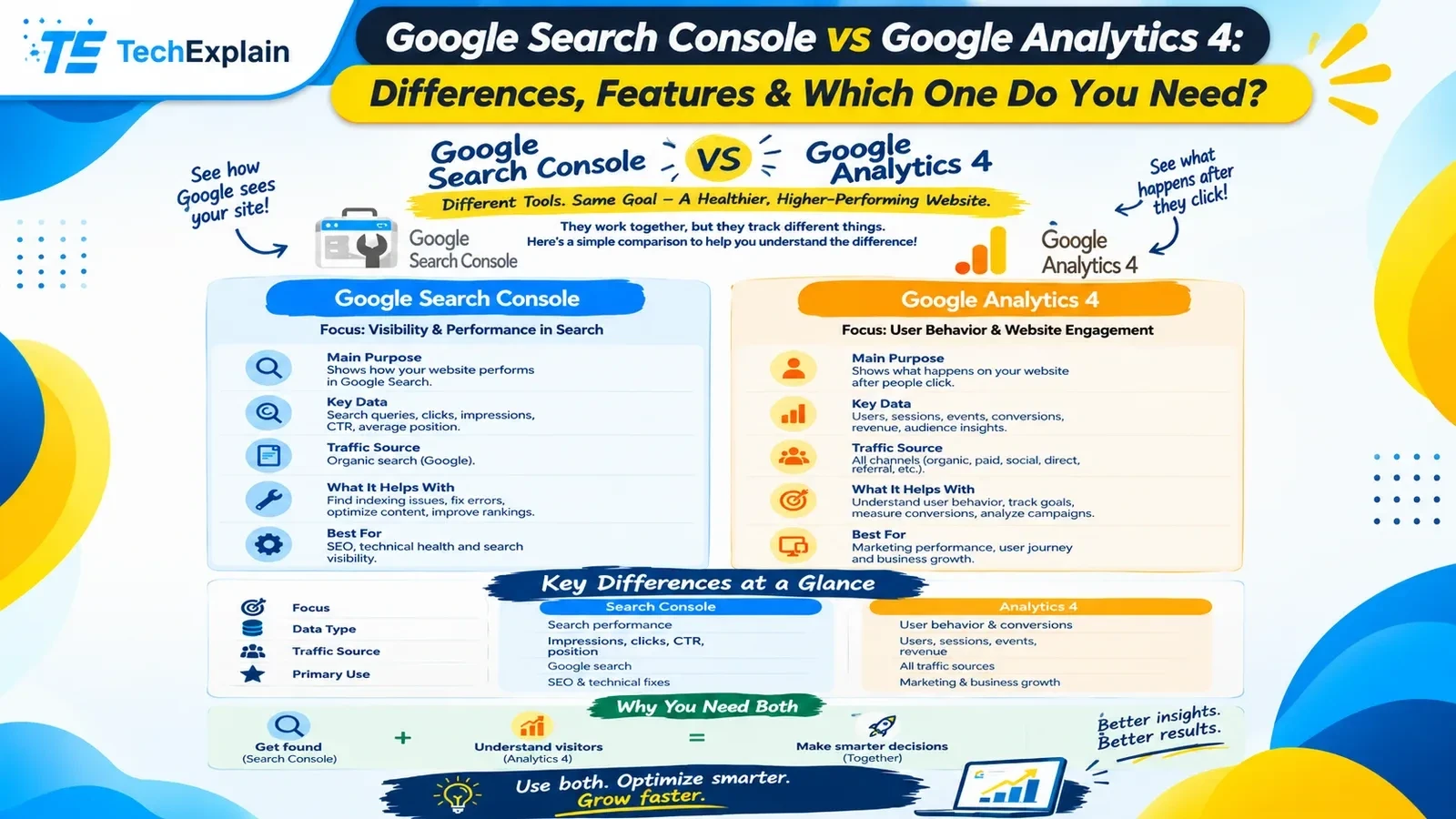
Google Search Console vs Google Analytics 4: Differences, Features & Which One Do You Need?
Search Console shows how people find your site on Google, while GA4 shows what they do after they arrive, so you need both.
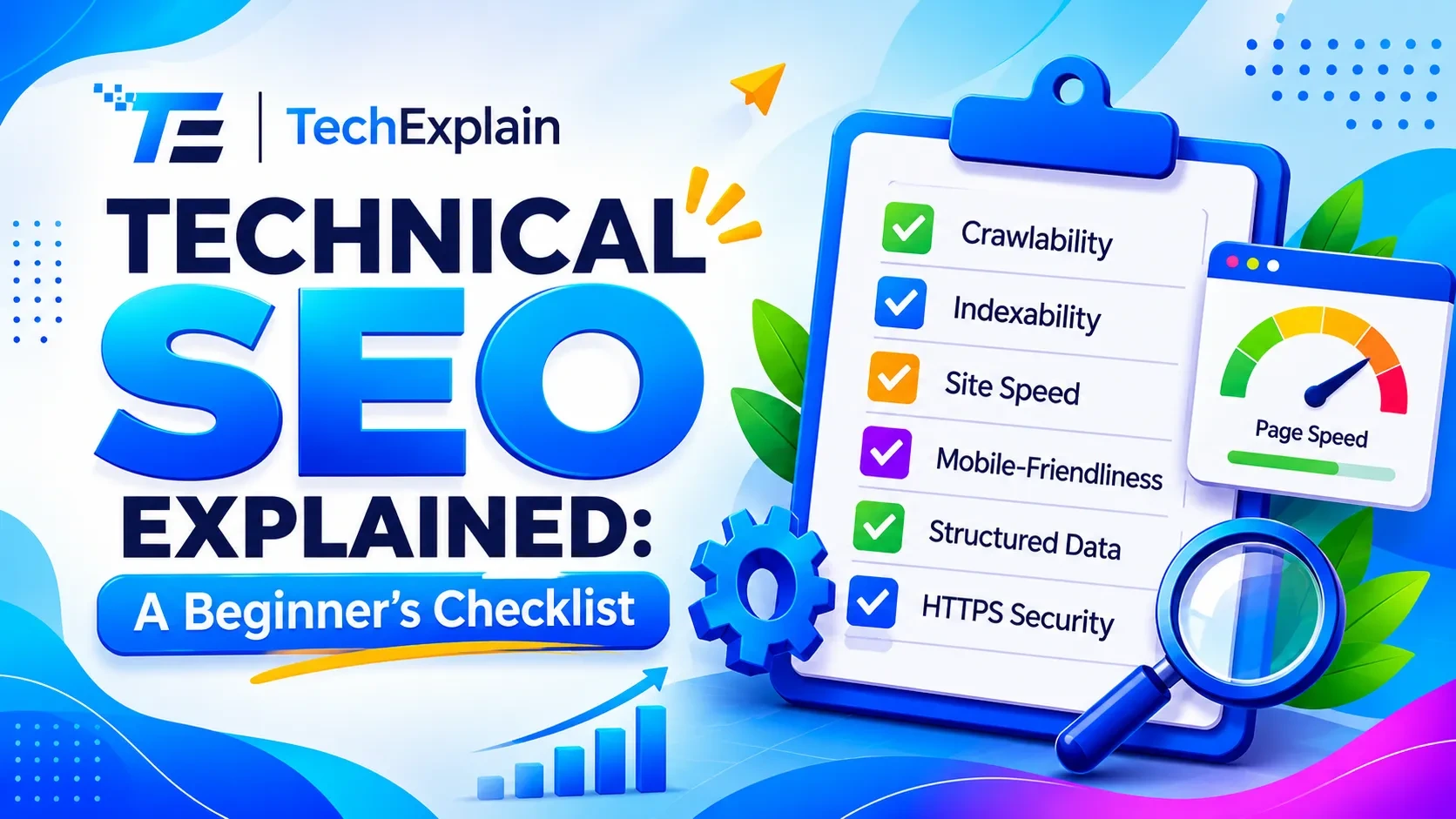
Technical SEO Explained: A Beginner's Checklist
This guide breaks down technical SEO into a simple checklist so beginners can find and fix the issues stopping their site from ranking.

What Is Google Search Console and How to Use It
Google Search Console is a free Google tool that shows how your website performs in search, helps fix errors, and boosts your SEO.