What Is Google Search Console and How to Use It
Google Search Console is a free Google tool that shows how your website performs in search, helps fix errors, and boosts your SEO.
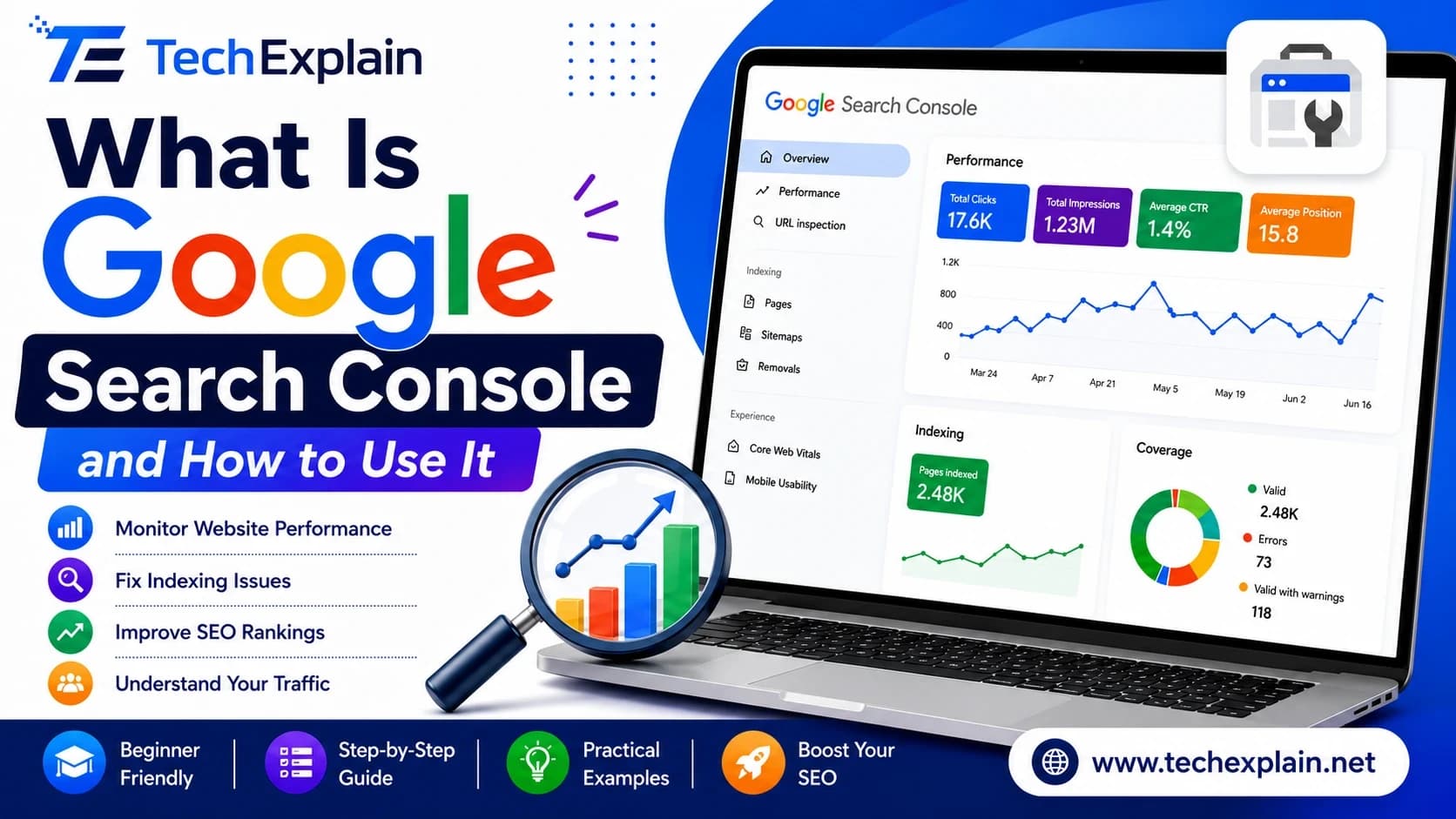
Google Search Console is a free tool by Google that helps you track, manage, and fix your website's presence in Google Search results. It shows which keywords bring visitors, checks if pages are indexed, and alerts you to technical errors.
If you own a website, chances are high that you would like to see how it performs on Google. Is it findable at all? Does your website contain some technical issues that prevent Google from indexing it? This is where Google Search Console comes into play. This is a free tool created by Google that reveals how Google Search perceives your website. Simply put, Google Search Console informs you about your visitors, their search behavior, and possible errors. This service was previously known as "Google Webmaster Tools," but its name and functionality were updated several years ago. In this article, we will tell you everything about Google Search Console, its importance for SEO optimization, and how to use it step-by-step.
What Is Google Search Console?

Google Search Console is an absolutely free service provided by Google that will help you track, manage, and fix your site's performance on Google Search results. No fees will be charged for using it, and no expensive website building or hosting packages are required for that. The only thing you need is a Google account and access to your site.
The GSC(Google, search console) refers to a set of tools and reports that allow webmasters, or any person running websites, to monitor the performance of their sites on Google Search. Since the Search Console provides information directly from Google, it is more reliable than estimating or using other SEO tools to assess the performance of websites. Through the Search Console, you will get to know the indexed pages, the keywords generating visitors to your site, and any technical issues your site may have.
It is essential to realize that Search Console is not the platform through which you can edit your website. On the contrary, it provides you with data and helps you submit your page to the Google Index, verify URL status, and detect any errors throughout your entire domain. In a way, it is like a medical check-up report on your site provided by Google.
Why Google Search Console Matters for SEO
Search Console is one of the best tools that you can find not only for SEO specialists but for everyone who has a website. The reason for this is that Search Console will allow you to see how people search for your products or services, and in what way your web page ranks for such a search. With the help of Search Console, you can also learn about new keyword possibilities for your business.
Search Console also tracks some other critical signals related to the user experience, including Core Web Vitals, which track various metrics, including loading time and stability. In terms of Google, it is getting more concerned with how users perceive the page in question rather than its content. This information is now available from Search Console in one place rather than having to guess.
Many individuals get confused between Google Search Console and Google Analytics. However, these are two distinct tools. Google Search Console pays attention to the way your site operates before and during the process of searching, that is, to the keywords typed by individuals and the frequency of showing up of your pages as well as the clicks. Google Analytics pays more attention to what takes place after an individual visits your site, like the time spent there and what pages they visit.
Key Features of Google Search Console
There are various tools provided by Search Console that perform unique functions. The following table provides an overview of the main tools available on Search Console and their functions.
Feature | What It Does |
Performance Report | Shows clicks, impressions, average position, and click-through rate for your pages and keywords |
URL Inspection Tool | Checks whether a specific page is indexed and lets you request a new crawl |
Sitemaps | Lets you submit a sitemap so Google can discover your pages faster |
Core Web Vitals | Reports on page speed and user experience metrics across your site |
Mobile Usability | Flags pages that may have issues displaying properly on mobile devices |
Security Issues | Warns you if Google detects hacking, malware, or harmful content on your site |
Links Report | Shows which sites link to you and which of your own pages link internally |
Every single one of these reports helps in the process of getting familiar with your website and solving problems related to it. The Performance report can be considered the very first step for any SEO specialist due to its display of true search information, including the queries that send traffic to your website and its ranking changes.
How to Set Up Google Search Console

It's easy to get started with Google Search Console, and you can generally do so within just a few minutes.
Step one: log in to your Google account that you will use to create your site. When you have a business, it is advisable to use a business account instead of a personal one, for future sharing access with other people from your team.
After that, visit the Google Search Console website and select "add a new property." You will be required to select whether you want to add the domain as a "Domain".After you enter your website address, you will be prompted by Google to prove that the site belongs to you. There are several methods through which this can be done, including by putting a code into the DNS records for your website, placing an HTML file on your server, adding a meta tag to your homepage, or using an existing Google Analytics/Google Tag Manager account. After this process is completed, Search Console will begin gathering information about your website.
How to Use Google Search Console
Now that your site has been verified, you can begin the work. Thisis a simple explanation on how to use Search Console on a regular basis.
First of all, we need to consider the Performance Report. In this report, there is information about the search terms that users used to reach your website, impressions (how often your page showed up in the search results), clicks (how often users clicked on your page in the search results), and an average position.
Then you can check your Coverage or Indexing report. It will let you know whether Google has indexed your pages properly or whether some problems prevent certain pages from being indexed. Some of these problems could be pages that are excluded via a robots.txt file, duplicate content, or server problems. These problems can easily be solved to get your pages indexed.
Always make use of the URL Inspection Tool whenever there is a new addition or a change in content that you have made to a particular page. The URL Inspection Tool will help you verify the index status of a particular page and even ask Google to recrawl the page.
Add the site map to the Sitemaps tab if you haven't done so already. Although Google is often capable of finding your pages without it, the sitemap will make the process easier, especially for large websites or newly launched ones that don't have that many backlinks yet.
Also, take note of your Core Web Vitals and Mobile Usability reports. As search requests through mobile devices have grown significantly in number, a website that takes time to load or fails to render well on mobile devices may actually be losing out on opportunities for ranking in terms of its SEO(Search engine optimization).
Lastly, monitor the Security Issues report occasionally, more specifically when there is a drastic loss of traffic on your website for no reason at all. The Security Issues report will notify you if there is a breach in security on your website that will affect your search engine rankings as well as your visitors trust.
Common Mistakes to Avoid
For many people who are starting out in using the tool, the Search Console may be set up just once and then completely ignored thereafter. This is a bad move, since the Search Console can work well only as an activity and not just something that is set up once and forgotten about. It is wise to check your account at least once a month.
One of the mistakes often overlooked is the non-checking of the Coverage report. While some people analyze only clicks and impressions, they are not aware that any mistake in indexing could make a whole part of their website invisible to search engines. It won't be visible in any search engine result if it's not indexed at all.
Another thing that needs to be avoided is the pitfall of making changes on the basis of very little data. The reports from Search Console tend to vary each day, and it usually makes more sense to see what the trend is over a period of weeks or months.
Frequently Asked Questions
Is Google Search Console really free to use? Absolutely. Google Search Console is totally free to use by any website regardless of how big it is or which platform it has been developed on. There are no different paid levels.
Do I need coding skills to use Google Search Console? No. It is not necessary to know programming in order to interpret reports or submit a sitemap. There may be some forms of verification which require the assistance of a programmer (for example, using a meta tag or a DNS record). However, reports are designed for non-programmers as well.
How long does it take for data to show up after verifying my site? Normally it takes a day or two, although there are reports like Performance where data may take even several days before presenting a complete view. The Search Console provides data not in real-time mode but with some delay.
What is the difference between Google Search Console and Google Analytics? Search Console emphasizes your website's visibility in Google Search, which also includes hits (impressions), searches made, and problems with indexing. Google Analytics, on the other hand, stands out by tracking user experiences after they arrive at your site, including stay time (time on page) and what pages they visit.
Why are some of my pages not indexed? Some of the common causes for this are having a robots.txt file preventing the page from loading, a tag, duplication of the page content, or even low-quality content on that webpage. Coverage report and URL Inspection Tool can show precisely the reason why the page is not indexed.
How often should I check Google Search Console? It is sufficient to check your website once a month. However, you may want to check it more frequently right after posting some news on your site or redesigning it, or if you notice a decrease in your traffic.
Can Google Search Console improve my rankings directly? Not directly. Search Console does not directly impact your rankings; however, the information it gives you helps you rectify technical issues and enhance your content, which eventually results in improvement in your rankings.
Conclusion
Google Search Console is among the free tools that can help each website owner with his/her website. Google Search Console gives clear information regarding how Google sees the website, what search terms are used by users, and what the possible technical problems are. If the tool is set up properly and checked regularly, the website owner knows additional information regarding the website condition, thus providing an opportunity to improve the ranking over time. Even if the marketer is either a novice blogger or an owner of a large company, using Google Search Console seems to be the easiest first step toward increasing visibility in Google Search.
The most advantageous thing of all is the fact that none of this costs a lot of money or requires someone to have a background in technology. Anyone who is ready to spend a few hours every week reviewing their statistics can start making better and smarter decisions thanks to the usage of information gained from the reports. After some time, these small checks will add up and result in significant changes in the performance of the website on Google.
Share this article
Related Articles
Technical SEO Explained: A Beginner's Checklist
This guide breaks down technical SEO into a simple checklist so beginners can find and fix the issues stopping their site from ranking.

Best Free SEO Tools for Beginners in 2026
This article lists the top free SEO tools you can use in 2026 to research keywords, fix website problems, and get more visitors from Google, without paying anything.
What Are Backlinks and Why They Matter for SEO
Backlinks are links from other websites that boost your site's trust and ranking on Google.