What Is Computer Hardware? Complete Beginner Guide (12 Components Explained)
This guide explains the 12 core components of computer hardware from the motherboard to peripherals in simple, beginner-friendly language.
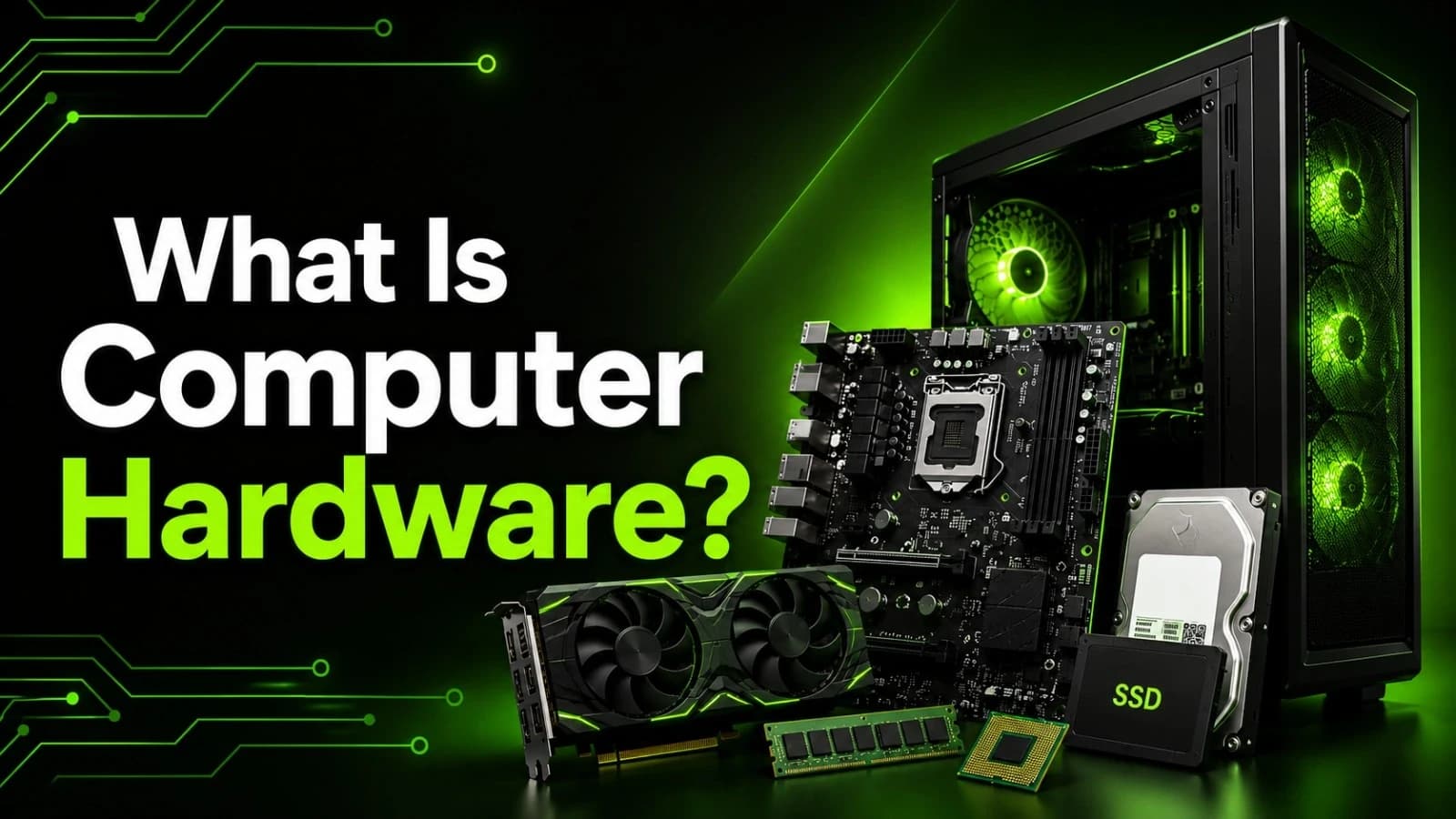
Hardware refers to the physical, tangible components of a machine or system. While most commonly associated with the physical parts of a computer system (such as the CPU, monitor, and motherboard), the term also broadly encompasses mechanical tools, building supplies, and structural fixtures.
As soon as you turn your laptop or PC on, numerous physical components start working without being noticed. Users do not bother asking about what names the components have and which task each component accomplishes, and only hope that their screen gets lit up and applications launch in simple terms. There will be no complicated explanations or difficult manuals, just an easy-to-understand description of all main hardware components.
.
What Does "Computer Hardware" Actually Mean?
Hardware in its simplest form refers to any component of the computer that can be touched. From the chip responsible for all computations and decisions, to the screen that you are looking at, to the very keyboard on which your hands are resting right now.
The opposite of software is hardware. Hardware consists of tangible and touchable elements of the computer. Here is an illustrative analogy:
Hardware is like a car's engine, wheels, and steering wheel.
2. Software is like the driver; he controls where to take the machine and what actions to perform.
Both need each other to be complete. A computer without any hardware is merely an idea; a computer without any software is merely a box of wires and metal.
The following are the 12 hardware parts that every computer beginner must know about.
1. Motherboard
All the components that make up the hardware inside the computer ultimately come into contact with the motherboard. The motherboard is a flat circuit board that has a lot of connectors which allow the CPU, memory, storage and other components to interact.
In case of a house and a computer comparison, the motherboard can be compared to the plumbing system of a building.
2. Processor (CPU)
The central processing unit executes the commands and calculations at an amazingly fast rate and controls all operations that the computer performs. This component is usually referred to as the “brain,” because almost all actions performed by the computer are impossible without participation of the CPU first of all.
Intel and AMD monopolize the processors market.
3. Memory (RAM)
RAM functions as short term memory. After starting a program, all the information that is needed for the functioning of the program is loaded into RAM so that the program can get access to the data immediately.
The problem with RAM is that it is temporary. The moment the computer is switched off, all the data in it is erased. Having enough RAM means being able to work with many programs at the same time.
4. Storage Drives (HDD/SSD)
Whereas RAM keeps data temporarily, storage devices store data permanently be it your documents, programs, pictures, or operating system. Storage devices are mainly of two kinds:
HDD (Hard Disk Drive): Use spinning disks, provides high capacity for less money but slower than others.
SSD (Solid State Drive): Uses flash memory chips, much faster than other and now becomes standard in many computers.
5. Graphics Processor (GPU)
The GPU handles all the visuals that you see on your screen from text to images, video, and the gaming environment. Simple operations can work well using the graphics that are part of the CPU, but for more demanding applications, you will need a separate graphics card.
6. Power Supply Unit (PSU)
A PSU is a device that obtains power from an electrical outlet and supplies components with a specific voltage required for its operation. If a PSU is bad, the computer will shut down or become unstable, or even damage other components.
7. Cooling System
Millions of computations are done by computers each second, producing heat. In order to maintain efficiency, the system needs to be cooled. There are many ways of cooling which are normally classified into two major categories.
1. Fan-based (Air) Cooling: These builds usually offer the best cost-to-performance ratio.
2. Liquid cooling: Better at handling heat, mostly found in gaming or workstations.
8. Computer Case (Chassis)
The computer case protects all internal components while allowing proper airflow to keep the system cool. A well-designed case also improves ventilation, makes cable management easier, and helps extend the lifespan of the hardware.
Types of Hardware
All the hardware devices in a computer do not serve the same purpose. The placement and use of hardware devices make it possible for them to be classified into various groups. This is important because it gives insight into how a computer processes information.
1. Internal Hardware
Internal Hardware consists of those pieces of equipment that are fitted into the computer case. These include the motherboard, the processor, the memory, the storage devices and the power supply. These work together to perform the main computing functions of the computer.
2. External Hardware
Peripheral hardware is attached to the computer externally through cables, ports, or wireless signals. Some examples are mouse, keyboard, external hard disk, and printer. Even though peripheral hardware is not mandatory to turn on the computer, it is necessary to make the computer functional.
3. Input Devices
The role of input hardware is that it enables one to give instructions or data to the computer. The keyboard translates key presses into text, the mouse translates movements made by the user into cursor movements on screen, and the microphone translates sound into audio. Without input hardware, no interaction could take place with the computer.
4. Output Devices
Output hardware is the way that the computer displays its processed output. The monitor produces the visual image, the speaker produces the sound, and the printer produces a physical copy of the file from the computer. It is basically the process of turning digital information into tangible form for us to perceive.
5. Storage Devices
Storage devices are meant to store data, either temporarily or permanently. The RAM can hold data while the computer is turned on because it is temporary in nature. However, the hard disk drives and solid-state drives store data permanently irrespective of whether the computer is off or on.
6. Processing Devices
The computing hardware does the calculation and logic operations to enable the computer to perform its functions. The CPU is responsible for performing normal processing functions while the GPU performs special graphics and video-related functions only.
7. Networking Hardware
Network hardware helps a computer to connect to other computers and even the internet. These include network interface cards, wireless adapter cards, modem and router. The absence of such hardware would leave a computer in isolation with no ability to exchange any information with other sources.
Hardware vs. Software at a Glance
Aspect | Hardware | Software |
Form | Physical and touchable | Digital and intangible |
Examples | CPU, RAM, monitor, keyboard | Operating system, apps, games |
Lifespan | Wears out physically over years | Can be updated indefinitely |
Upgrade method | Replace or add physical parts | Install updates or new versions |
Primary role | Executes and stores instructions | Provides instructions to hardware |
Why Learning Computer Hardware Basics Is Worth Your Time
Make informed purchases Understand the key specifications before choosing a new device.
Fix problems yourself Identify the problems such as overheating or slowness without paying for expensive repairs.
Upgrade with confidence Increase RAM or replace it with an SSD without hiring a technician.
Open doors to tech careers Knowledge of hardware is basic in careers of IT support, hardware engineering, and cybersecurity.
Frequently Asked Questions
Main Components of Computer Hardware ? The main components are the motherboard, CPU, RAM, storage device, GPU, and the power supply unit; all these combined make up the basic configuration required for the computer to run.
Is a keyboard considered hardware or software? Keyboards are hardware components. They are tangible input devices that one can feel, while software refers to computer instructions and programming.
Do I need a dedicated GPU for everyday use? No, basic things such as web surfing, email, and word processing can be done on an integrated graphics card. A dedicated graphics card is only needed when you want to play games or do some video editing or 3D designing.
What's the difference between internal and external hardware? The internal hardware such as the CPU, RAM, and motherboard is located within the computer case while the external hardware such as the mouse, printer, or an external hard drive is located outside the computer case.
Conclusion
It is simple to comprehend the hardware of a computer when you know its basics. Comprehending the motherboard's function in connecting all the parts of the hardware, the functions of the CPU, the RAM in executing the activities, and the storage will be easy to comprehend.
Whatever your motivation to learn about computer hardware whether it be building your own computer, getting to the root of your laptop's slow performance, or learning about the technology you use every single day this is a great starting point.
Share this article
Related Articles
What Is a Power Supply Unit (PSU) and How to Choose One
A PSU changes wall power into safe power for your computer, and this guide shows you how to choose the correct one and when you need a backup.
How to Choose the Right Graphics Card: A Simple Guide for Everyone
A simple guide to picking the right graphics card for your needs.
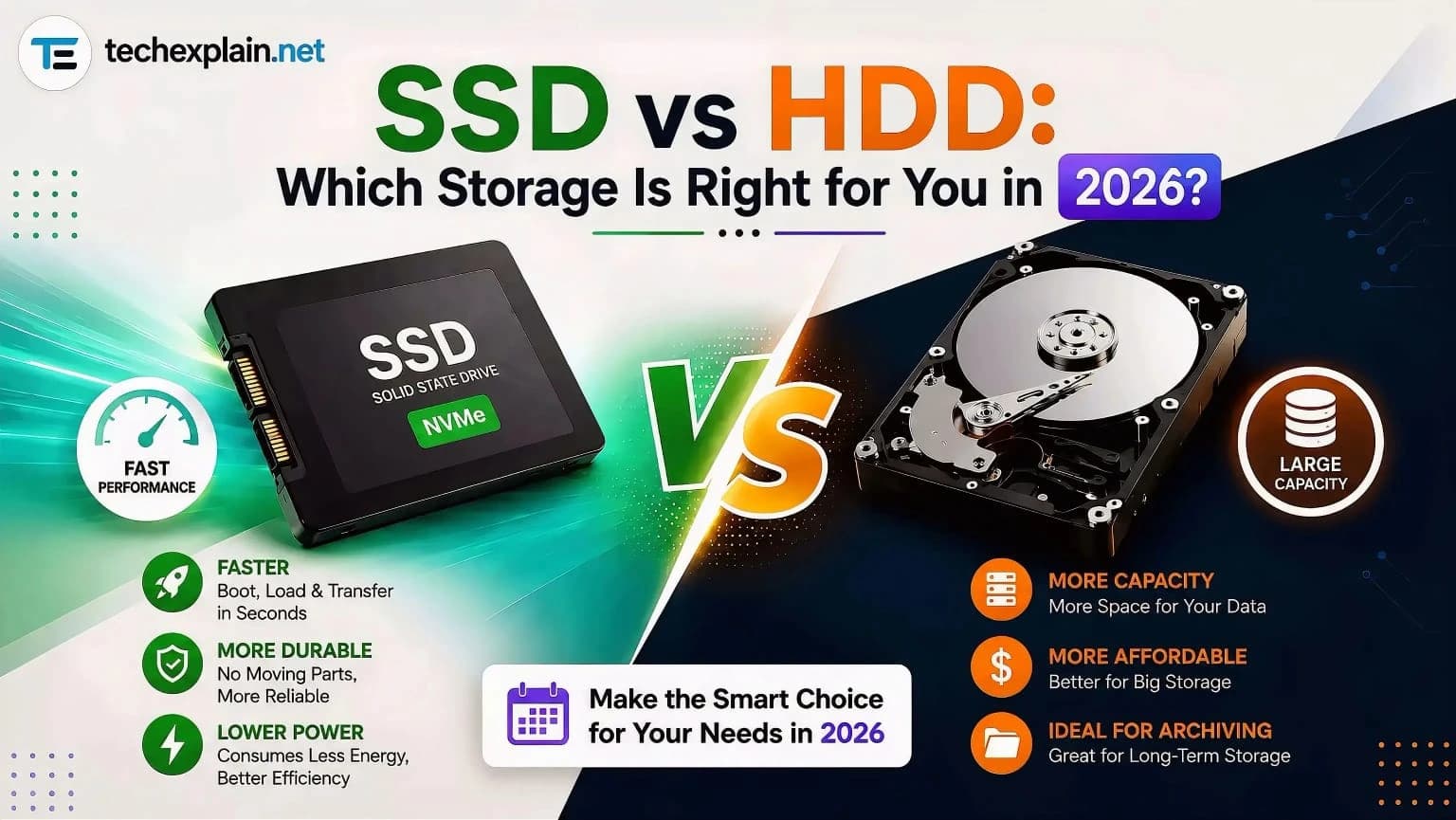
SSD vs HDD: Which Storage Is Right for You in 2026?
SSDs win on speed, HDDs win on price — pick based on what you actually need to store.